
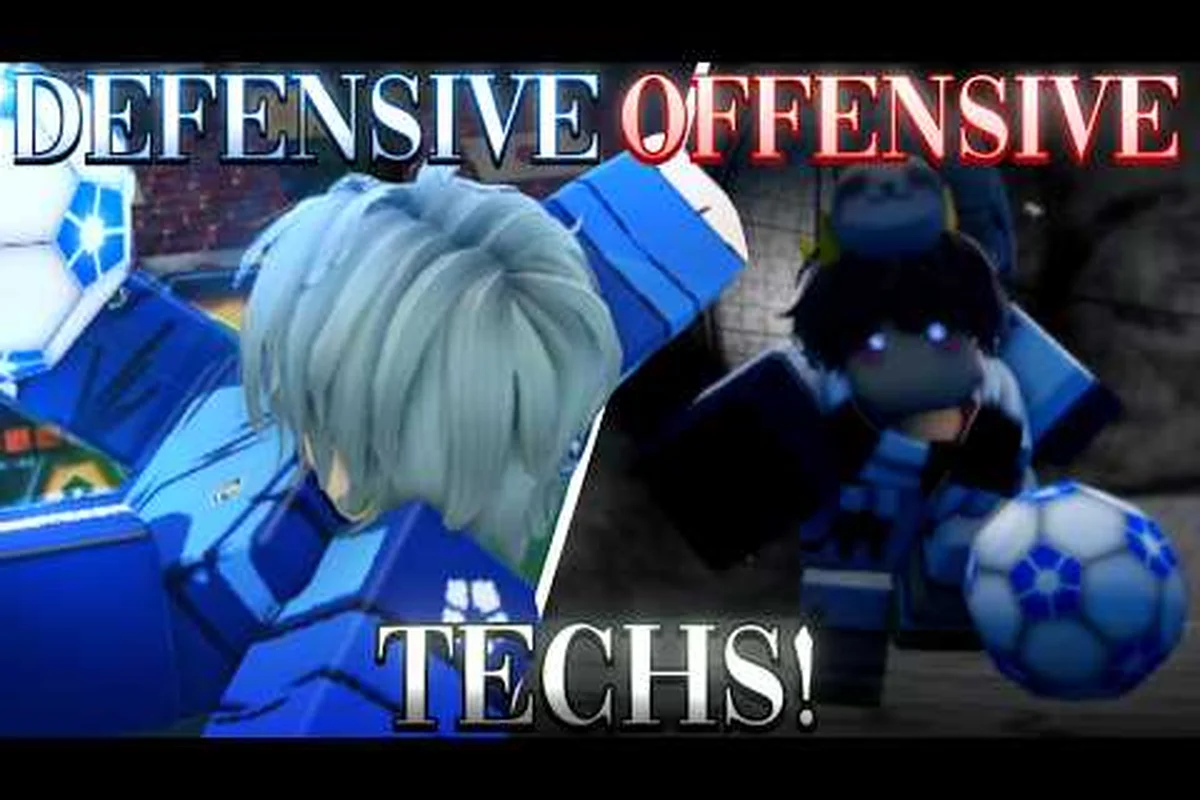
In Azure Latch, a single well-timed M1 tap is rarely enough to change a match. The real damage comes from chaining inputs into multi-touch combos that confuse defenders, break tackles, and finish with a clean shot on goal. This Azure Latch combo guide breaks down how beginner players can build reliable two- and three-touch strings, and how intermediate players can layer advanced tech on top of those foundations to score in tight windows. The focus throughout is practical: which keybind to press, when to press it, and how to read the opponent's recovery so the next link lands cleanly.
The game's default control layout is the starting point for everything that follows. M1 shoots, 1 through 5 trigger the five Style skills, Q tackles (or triggers a goalkeeper lunge or sideways dive), R blows the whistle or calls for a pass, E starts a dribble, G awakens your Flow state, F is a speed boost, B opens the emote wheel, Space performs a rainbow flick, and T is a Style-specific special such as a defender's charge. According to community guides and the official Azure Latch Roblox page, these bindings match what most players see in their settings menu, which means the combos below translate directly to the controller or keyboard layout you are already using.
Core Combo Foundations: What Every String Needs
Every reliable combo in Azure Latch shares three structural elements: a setup input that breaks the defender's balance, a mid-string filler that buys time, and a finisher that converts the touch into a goal threat. Skipping any of these three is the most common reason a "combo" falls apart after the second link. Beginners who learn to identify which part of a string is failing will improve faster than players who simply memorize input sequences.
The setup is usually an E dribble entry or a Q tackle, because both force a defender to commit before the real combo begins. A defender who commits to a tackle and misses is briefly out of the play, and that gap is the window a combo exploits. Without that commitment, the defender stays mobile and the second link usually whiffs, even if the input is technically correct.
The filler is where Style skills (1-5) and directional movement earn their place. A simple side-step with WASD plus a single Style skill tap can extend a two-touch combo into a three- or four-touch string if the timing matches the defender's recovery frames. The filler is also the part of the combo most players skip, which is why their strings end after the setup input.
The finisher is usually a Space rainbow flick, an M1 shot, or a T Style-specific special. Choosing between these depends on the position on the pitch: rainbow flick from the edge of the box, M1 from inside the six-yard area, and T specials when the goalkeeper has overcommitted. Picking the wrong finisher is the second most common reason combos fail to produce goals.
| Combo Element | Common Input | Purpose | Failure Symptom |
|---|---|---|---|
| Setup | E dribble, Q tackle feint | Force defender commitment | Defender stays mobile, second link whiffs |
| Filler | WASD movement, 1-5 Style skills | Extend window during recovery | String ends after setup |
| Finisher | Space, M1, T special | Convert touch to goal threat | Wrong finisher for pitch position |
A clean mental model for the foundation: think of each combo as a three-beat rhythm, not a single button press. The setup beats on one, the filler holds on two and three, and the finisher lands on four. Players who internalize this rhythm stop panicking when a defender reacts faster than expected, because they already have a backup filler planned for beat three.
Beginner Combo Strings: The M1 Chain
The most accessible combo in Azure Latch is the M1 chain, which is little more than two or three M1 inputs separated by short directional changes. It looks simple, but mastering the spacing is what separates a beginner from a player who can reliably threaten the box. The chain works because M1 is context-sensitive: the same input shoots, passes, or takes a short touch depending on your position and possession, and chaining short touches with directional changes produces a dribble pattern that defenders find hard to read.
The first M1 in the chain should always be paired with a forward speed boost (F) to commit the defender into a backpedal. Without the speed boost, the defender reads the first touch as harmless and stays in a marking position. With the speed boost, the defender has to choose between stepping up or holding the line, and that hesitation is the window the rest of the chain exploits.
The second M1 should be paired with a sideways strafe (A or D) to shift the ball to the defender's back foot. This is the touch that breaks tackles, because the ball ends up on the side the defender is not weighting. A common beginner mistake is to keep pressing forward on the second M1, which lets the defender reset and dispossess cleanly.
The third M1 is the optional finisher. If the player is within shooting range, the third M1 can be held to launch an M1 shot, which fires with a slightly longer animation than a normal touch. If the player is still outside the box, the third M1 should be another directional touch to set up a Style skill (1-5) or a Space rainbow flick.
| M1 step | Input | Direction | Common Mistake |
|---|---|---|---|
| Step 1 | F + M1 | Forward | Skipping speed boost, defender stays planted |
| Step 2 | M1 | Sideways (A or D) | Strafing forward, defender recovers |
| Step 3 | M1 (hold) or M1 + Space | Toward goal | Using third M1 too early, animation cancels |
Practicing the M1 chain in a private server is the fastest way to make the rhythm automatic, because the inputs do not depend on unlocking a particular Style skill or holding Flow state. Once the chain is consistent, players can start layering Style skills into the filler step without disrupting the rhythm.
Intermediate Strings: Layering Style Skills and Flow
Once the M1 chain feels automatic, the next step is inserting Style skills (keys 1-5) into the filler beat of the combo. Each Style skill has its own cooldown and animation length, so the order matters as much as the choice. A typical intermediate string follows the pattern F + M1 (setup) → Style skill 1 or 2 (filler) → M1 + Space (finisher), with the filler chosen to match the defender's recovery direction.
Each numbered skill behaves differently because it belongs to a specific Style, so the honest way to choose a filler is to know what your own kit does rather than to assume that slot 1 does one job and slot 2 does another. What is consistent across every Style is the cooldown economy: the skills you spend early are the ones you will not have later, so the filler you choose decides what is available for the finish.
Flow awakening (G) is the bridge between intermediate and advanced play. It is the strongest version of the kit rather than a small buff, so where you place it in a string matters more than how early you fire it. A player who spends the awakening to create the chance usually gets more from it than one who spends it as the finisher, because the chance itself is the scarce part.
| Combo Tier | Typical Input Sequence | Keybind Range | Best Use Case |
|---|---|---|---|
| Beginner | F + M1 → M1 → M1 | F, M1 | Learning the touch rhythm; no skill dependency |
| Intermediate | F + M1 → 1 or 2 → M1 + Space | F, M1, 1, 2, Space | Comfortable with the Style's first skills |
| Advanced | F + M1 → G → 1 → 2 → T | F, M1, G, 1, 2, T | Awakening ready and the special off cooldown |
| Defensive | Q → 1 → 3 | Q, 1, 3 | Counter-attack straight after a tackle win |
The defensive counter string deserves a callout because most combo guides skip it. After winning the ball with a Q tackle, a dribble entry on E protects possession from the second defender, and a numbered skill then turns the recovery into an attack. The counter string is worth practising because opponents rarely expect a defender to chain straight into an attack the moment they win the ball.
Advanced Tech Strings: Chaining the Style Special
Advanced players treat the Style-specific T special as a combo finisher rather than a standalone move. The reason is simple: the special is the Style's identity move, so a defender who sees it coming can simply step out of range, and using it in isolation wastes the cooldown. Wrapping the special inside a string hides the wind-up inside the preceding skill's animation, which is what makes a well-hidden special feel instantaneous to the opponent.
The standard advanced string runs F + M1 (setup) → G (Flow) → 1 (first filler) → 2 (second filler) → T (finisher). Each step depends on the previous one landing cleanly, which is why this string has a steeper execution curve than the M1 chain. Missing the second skill, for instance, usually means the defender recovers in time to block the special, because the first filler never moved them out of the lane.
A useful drill is to practice the string against a stationary defender first, then against a single moving defender, then against a full backline. The failure rate rises sharply at each step, which is why most players plateau at the intermediate tier rather than pushing into advanced play.
| Advanced step | Input | Placement in the string | Risk if missed |
|---|---|---|---|
| Setup | F + M1 | Opens the sequence | Defender recovers, string ends |
| Flow | G | Before the fillers | Awakening spent without creating a chance |
| Filler 1 | 1 | After the setup lands | Ball pushed out of reach |
| Filler 2 | 2 | After the first filler | Defender stays in the lane, special blocked |
| Finisher | T | Last | Wind-up exposed, tackle or block |
One subtle trick: the T special can be replaced with a Space rainbow flick if the Style special is on cooldown, which keeps the string consistent even when resources are limited. Many players bind Space and T to adjacent keys for this reason, so the muscle memory carries over between the two finishers without a hitch. The Azure Latch best settings guide covers how to remap these for faster access on keyboard and controller.
Reading the Pitch: When to Use Each Combo Tier
Combo choice depends on three pitch variables: distance to goal, number of defenders between the ball and the net, and whether Flow state is available. Beginners should default to the M1 chain whenever they are inside the final third, because the chain is reliable enough to produce a shot even against a packed defense. Intermediate players should look for the Style skill window, which is most often present after a teammate wins a 50/50 ball and the defender is briefly out of position.
Advanced players should save the full F + M1 → G → 1 → 2 → T string for counter-attacks and set-piece situations, because the string's execution cost is high and using it in settled possession usually wastes the Flow awakening. The most common mistake at the advanced tier is over-using the string in possession, which leaves the player without Flow when a real scoring chance opens up.
| Situation | Recommended Combo | Keybind Focus | Why |
|---|---|---|---|
| Inside the box, packed defense | M1 chain | F, M1 | Reliable, no cooldown dependency |
| Edge of the box, 1-2 defenders | Intermediate string | F, M1, 1 or 2, Space | Style skill breaks marking |
| Counter-attack, Flow ready | Advanced string | F, M1, G, 1, 2, T | Highest ceiling, full kit needed |
| After Q tackle win | Defensive counter | Q, 1, 3 | Fast transition, catches opponents flat |
Reading the goalkeeper is the other half of pitch awareness. A goalkeeper who has overcommitted off their line opens up the Space rainbow flick as a standalone finisher, which means the player can skip the filler and shoot directly. A goalkeeper who is sitting deep rewards the T special because the longer windup produces a more powerful shot that beats a set keeper. Mixing these reads in the same match is what separates a consistent scorer from a one-trick player.
Training Drills and Progression Path
The fastest way to internalize these combos is a 30-minute daily drill rotation that cycles through the four tiers. Spend the first ten minutes on M1 chains against a stationary dummy, the next ten on intermediate strings against a single moving defender, and the final ten on advanced strings in a private match. This rotation prevents the muscle memory from getting stuck at one tier, which is the most common reason players plateau.
Tracking progress matters as much as the drill itself. A simple log of successful finishes per match shows the improvement curve over a few weeks, and it is a more honest measure of progress than a feeling about how a session went.
A progression checklist for this guide looks like this: start with M1 chain consistency, then add one Style skill to the filler, then add the Flow awakening timing, then layer the second Style skill, then integrate the T finisher. Each step should be practiced for at least two sessions before moving on, because adding a new layer too early usually breaks the rhythm of the layer below it.
A final note on the controls themselves: rebinding the most-used keys (M1, F, Space, T) to more accessible positions cuts reaction time by a noticeable margin, especially for controller players. The combo logic does not change, but the execution window tightens, which makes higher-tier strings feel less stressful to land. For a deeper look at how to tune these bindings, the Azure Latch best tech breakdown covers the side-dash and rainbow flick inputs that pair well with the combos above.
Frequently Asked Questions
What is the easiest combo for a new Azure Latch player to learn?
The M1 chain, because it uses only F, M1, and directional movement, and it does not depend on a particular Style skill or on Flow being ready. Practise the three-step rhythm in a private server until it is automatic, then layer a single Style skill into the filler step as the next progression.
When should I press G to activate Flow during a combo?
Place the awakening where it creates the chance rather than where it finishes one. Flow is the strongest version of the kit, so spending it to move a defender and open a shooting angle usually produces more than spending it on a hopeful attempt. Flow fills fastest from defensive work — a tackle or interception adds 12% — so a player who defends actively will have it available more often.
Can I replace the T special with Space if it is on cooldown?
Yes. The rainbow flick on Space is a separate on-ball option rather than a substitute for the special, but it can finish a move when the special is unavailable, and it does not consume the same cooldown. Mixing the two keeps opponents from predicting which one you will use.
How do I stop dropping combos after the second link?
The usual cause is that the second input did not actually move the defender, so the third has nothing to land into. Adding a genuine change of direction between the setup and the finish gives the string the space it needs. Practising the setup, filler, finisher model as a mental habit usually fixes the drop-off within a few sessions.