
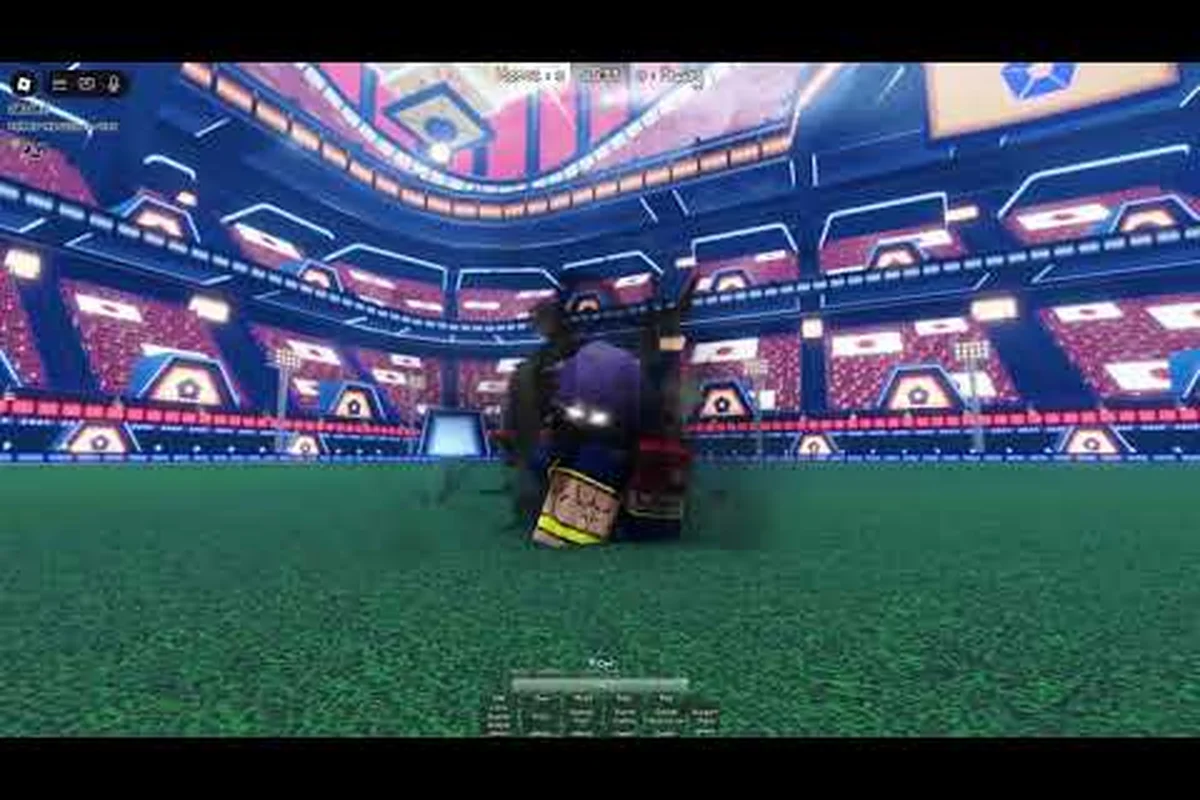
The Azure Latch emote button is B on keyboard and mouse, and it opens the emote wheel. The wheel starts with four slots, and the Extra Emote Slots gamepass expands it to eight. That is the documented picture, and it is narrower than most write-ups suggest: the game also has a Skill Builder for custom movesets, but the developer has not confirmed that emotes or movesets can be shared by code. This guide covers the documented binding, how the wheel behaves during a match, what the Skill Builder actually does, and how to troubleshoot the input — and it flags the emote systems that community posts describe but the developer does not.
Default Emote Button on PC, Console, and Mobile
The emote wheel is one of the easiest bindings to miss, because it is not part of the movement or combat cluster that players learn first. The documented default on keyboard and mouse is B, and the game supports custom keybinds, so the binding can be changed from the settings menu if it conflicts with your layout.
PC Keyboard Default Layout
The default layout gives every core action its own input, so the left hand can stay on the movement cluster. M1 shoots, the 1 through 5 keys fire the Style's five numbered skills, Q tackles and becomes the goalkeeper dive when you are in goal, R is documented both as a whistle and as a call for a pass, E dribbles with the ball and toggles techniques mode without it, G fires the Flow awakening, F is the speed boost, Space performs the rainbow flick, and T fires the Style's special — for example Doberman Charge on defensive Styles.
| Input | Action | Notes |
|---|---|---|
| B | Emote wheel | The documented default for emotes |
| M1 | Shoot | Also a pass or a clearance depending on context |
| 1 – 5 | Style skills | The five numbered skills of the locked Style |
| Q | Tackle, side dash, or keeper dive | Context-sensitive; add A or D for the side dash |
| R | Whistle or call pass | Both behaviours are documented; official sources differ |
| E | Dribble, or toggle techniques mode | Dribble with the ball; toggles techniques without it |
| G | Flow awakening | Fires when the meter is full |
| F | speed boost | Short acceleration |
| Space | Rainbow flick | An on-ball skill move |
| T | Style special | Style-dependent, for example Doberman Charge |
The emote binding is unusual in that it is purely cosmetic. Every other input in that table interacts with the ball or with other players; B opens a wheel of animations. That is why it is the safest input to move if you want to free up a key, and also why pressing it at the wrong moment costs you a small amount of positioning rather than possession.
Console and Mobile Layouts
Console and mobile layouts map the same actions to controller inputs and on-screen tiles through the platform's controller preset, and the game supports custom keybinds, so the exact input for the emote wheel depends on the preset you are using rather than on a single documented button. What is worth knowing is that the four-slot default applies on every platform, and the Extra Emote Slots gamepass is what raises the wheel to eight slots regardless of where you play.
How to Remap the Emote Button
| Step | Action | Expected result |
|---|---|---|
| 1 | Open Settings | The settings menu appears |
| 2 | Find the controls section | The binding list loads |
| 3 | Select the emote wheel entry | An input prompt appears |
| 4 | Press the key or button you want | The binding updates |
| 5 | Test it in a match or private server | The wheel opens on the new input |
If you assign the emote wheel to an input that is already used by a Style skill, you will overwrite the skill binding, so it is worth checking the full list before you confirm. The movement keys are the ones most players leave alone, because the emote wheel does not need to sit under the fingers during live play.
The practical caveat on any platform is the same: check the binding list before you assume an input, and test a remap in a private server rather than in a live match, because a rebind that conflicts with a Style skill is easier to catch when nothing is at stake.
Triggering Emotes Mid-Match Without Losing Inputs
The emote button only matters if you can press it during a live match without giving up a goal. Azure Latch does not pause play for a cosmetic animation, so opening the wheel is a real cost in a live possession and a negligible one when the ball is elsewhere on the pitch. Learning when to press B is therefore a positioning skill rather than a technical one.
Safe Windows to Open the Wheel
The wheel is safest to open during a dead ball, straight after a turnover, or while a teammate is carrying the ball on the far side of the pitch. Opening it while you are on the ball usually ends in a turnover, because the game does not slow down and the defender does not wait.
| Situation | Safety | Reason |
|---|---|---|
| Dead ball or goal kick | Safe | No live possession to lose |
| Straight after a turnover | Safe | You are not on the ball |
| Teammate attacking the far side | Safe | You are out of the play |
| Mid-dribble | Risky | You lose the ball |
| Defending a 1v1 | Risky | Your tackle timing breaks |
| Mid-shot | Avoid | The shot is cancelled |
The celebration window straight after a goal is the most reliable moment, because play has stopped and the camera is on the scorer. It is also the moment an emote reads as a celebration rather than as a distraction. The full scheme is M1 to shoot, 1-5 for skills, Q to tackle or dive, E to dribble, G to awaken and B for the emote wheel.
Exiting an Emote
An emote ends on its own, and the useful habit is to be moving again the moment it finishes rather than standing still admiring it. Starting a movement input as the animation ends gets you back into position, and the F speed boost makes that recovery faster if you have drifted out of the play.
| Press sequence | Result | Notes |
|---|---|---|
| Emote, then F | A speed boost once the emote ends | Fastest way back into position |
| Emote, then Q + A or D | A side dash once it ends | Useful if you drifted wide |
| Emote, then E | Back on the dribble | For when you are already back on the ball |
| Emote during a dead ball | No cost | The safest time to use the wheel |
| Emote on the ball | Likely turnover | The defender does not stop for you |
Why Mid-Match Emotes Matter to Players
Emoting in a live match is not purely cosmetic, though its real effect is psychological rather than mechanical. It is a way to signal a teammate, mark a play, or simply to make your own game feel less tense. None of that changes a cooldown or a tackle, but it does change how a match feels to play, which is a legitimate reason to use it.
| Effect | How it works | When to use it |
|---|---|---|
| Teammate signal | Draws attention to a position | Before a set piece |
| Tempo | Makes the opponent pause for a beat | After a big play |
| Celebration | Marks a goal or a clean save | After a goal |
| Tilt bait | Invites an overcommitment | When an opponent is rushing |
| Cosmetic identity | Shows the emotes you have collected | Any safe window |
The reason to keep emotes in safe windows is simple arithmetic: an emote that costs you a goal is not worth the moment of expression. The players who use the wheel well are the ones who treat it as something to do when the ball is not live.
Expanding the Emote Wheel and What the Skill Builder Does
Two different systems get confused here, and keeping them apart matters. The emote wheel starts with four slots, and the Extra Emote Slots gamepass is what expands it to eight. The Skill Builder is a separate tool for building and loading custom movesets — it is not how emote slots are unlocked. The animations that fill those slots are catalogued in the Azure Latch emotes list.
How Emote Slots Actually Expand
| System | What it is | What it unlocks |
|---|---|---|
| Emote wheel | The cosmetic wheel opened with B | Four slots by default |
| Extra Emote Slots gamepass | One of the game's 12 gamepasses | Raises the wheel to eight slots |
| Extra Emote Pages | A separate gamepass | Additional emote pages |
| Skill Builder | The custom moveset tool | Builds and loads movesets, not emote slots |
The practical consequence is that you do not grind for extra emote slots — the expansion comes from the gamepass. Emotes themselves are collected separately: the developer documents a random emote costing 250 Cash, and MVP animations, titles, and goal effects are each their own cosmetic category.
Why the Skill Builder Appears Here
The Skill Builder is the in-game tool for building and loading a custom moveset, and the developer's changelog documents it being iterated on across updates, including changes recorded alongside the 18.5.5 build such as Player Transparency, Dribble Bypass, and camera animation work. That is what is confirmed about it.
What is not confirmed is sharing. Searches for moveset codes are common, and the tool is documented as being able to import and load movesets, but the developer has not confirmed that players can exchange movesets by code. Treat any claim of a pasteable code as unverified, and expect to build your own instead.
Where the Cosmetic Systems Sit
| Cosmetic system | Documented detail |
|---|---|
| Emotes | Four slots by default; eight with the Extra Emote Slots gamepass; a random emote costs 250 Cash |
| MVP animations | Shown when you win MVP; seasonal ranked finishes grant exclusive ones |
| Titles | Chat titles; seasonal ranked finishes can grant exclusive ones |
| Goal effects | Fire when the ball hits the net |
| Jerseys | Includes Blue Lock Eleven, Japan U-20, PxG, Bastard München, Manshine City, Ubers, and the team sets |
Because the emote wheel and the Skill Builder are separate systems, nothing you build in the moveset editor changes your emotes, and nothing you buy for the wheel changes your kit. A player who wants a bigger wheel buys the gamepass; a player who wants a different kit uses the Skill Builder.
Troubleshooting the Emote Button
The emote binding is easy to break by accident, because it shares a settings screen with every other input and a careless rebind can leave it unreachable. When it stops responding, working through the causes in order is faster than rebinding at random.
Wheel Not Opening on the Input
| Symptom | Likely cause | What to try |
|---|---|---|
| The wheel never opens | The binding was overwritten | Check the controls list and reassign the wheel |
| It opens on a different input than expected | A stale rebind | Reset that entry to its default and re-test |
| It works with keyboard but not a controller | The controller is using a different preset | Check the controller preset and its bindings |
| It opens but shows no emotes | You have not collected any yet | Emotes are a cosmetic you collect separately |
The most common cause by far is a rebind that silently overwrote the wheel, because the settings screen does not distinguish between a key you never use and one you use every match. The developer's About page lists R as Whistle while the Trello lists Call Pass, so both readings are current.
The Wheel Opens But Other Inputs Do Not Respond
| Issue | Likely cause | What to try |
|---|---|---|
| A Style skill does not fire | The previous action has not finished | Wait for the animation to end, then re-press |
| A pass goes astray | The input was eaten by the wheel | Close the wheel before pressing anything else |
| A shot cancels | The shot was started mid-animation | Take the shot from a settled position |
| A burst does not trigger | You are still in recovery | Delay the burst until the recovery ends |
The general rule is that Azure Latch resolves one action at a time, so overlapping inputs will drop the later one. Pressing an emote and a skill at the same moment simply loses the skill. Skill Builder is documented as a tool for importing and loading custom movesets, with no confirmed share codes.
The Binding Works on One Platform But Not Another
Console and mobile use controller presets and on-screen layouts rather than a keyboard, so a binding that works on PC does not automatically carry across. If the wheel is unresponsive on a controller, check that the preset you are using has the wheel assigned at all, and re-select it if not. On mobile, confirm that the on-screen layout you are using actually includes the wheel tile.
| Platform | Where to look | Notes |
|---|---|---|
| PC | Settings, controls list | Keyboard and mouse bindings |
| Console | Controller preset | The preset decides the wheel input |
| Mobile | On-screen layout | The wheel needs a tile in the layout |
| Any | In a private server | Test a rebind where a mistake costs nothing |
Building an Emote Rotation
A good emote rotation is not about owning every emote in the game. It is about picking four to eight that fit the way you play, and about knowing which ones you can actually trigger in the safe windows a match offers.
Picking Emotes for Your Role
| Role | Useful emote type | Why |
|---|---|---|
| Striker | A short celebration | Fits the window after a goal |
| Midfielder | A signal emote | Draws attention to a position |
| Defender | A clean-tackle reaction | Marks a won duel |
| Goalkeeper | A save reaction | Marks a save without interrupting distribution |
| Any position | Something short | Long animations cost positioning |
The wheel is the same regardless of role, so the list only needs to reflect the emotes you actually use. Because the default is four slots and the gamepass raises it to eight, most players have more emotes collected than they can equip, which is why curation matters more than collection.
Slot Order and Muscle Memory
| Slot | Typical use | Why this order |
|---|---|---|
| 1 | The emote you use most | First slot is easiest to reach without looking |
| 2 | A second frequent emote | Keeps the two favourites adjacent |
| 3 | A situational emote | Used after specific moments |
| 4 | A spare | Swapped as you collect more |
| 5 – 8 | The expanded slots | Only available with the Extra Emote Slots gamepass |
Wheel order matters more than the emotes themselves, because your hand needs to find the right slot without looking down. Once you settle on an order, changing it costs you the muscle memory, so it is worth arranging the slots deliberately rather than filling them as emotes arrive.
Frequently Asked Questions
What is the Azure Latch emote button?
The documented default is B on keyboard and mouse, which opens the emote wheel. The game supports custom keybinds, so you can move it from the settings menu if it conflicts with your layout, but B is the binding most guides assume.
How do I emote on console and mobile?
Console and mobile map the same actions to controller inputs and on-screen tiles through their presets, so the wheel input depends on the preset you are using rather than on a single documented button. The four-slot default and the eight-slot expanded wheel apply on every platform, and the expansion comes from the Extra Emote Slots gamepass.
Can I emote mid-match without losing the ball?
Emoting costs you nothing when the ball is dead, and it can cost you possession when the ball is live, because the game does not pause. The safe windows are a dead ball, straight after a turnover, or while a teammate carries the ball on the far side of the pitch. Treat the wheel as something to open when you are out of the play.
What is the Azure Latch Skill Builder?
The Skill Builder is the in-game tool for building and loading a custom moveset, and the developer's changelog documents it being iterated on across updates, including changes recorded alongside the 18.5.5 build such as Player Transparency, Dribble Bypass, and camera animation work. It is a moveset tool, not an emote tool, and it is not how the emote wheel is expanded.
Can I share a moveset or an emote layout by code?
The developer has not confirmed that. Searches for moveset codes are common, and the Skill Builder is documented as being able to import and load movesets, but a shareable code system is not something the developer's published material confirms. Treat any claim of a pasteable code as unverified. The emote wheel, meanwhile, starts at four slots and reaches eight with the Extra Emote Slots gamepass, so there is nothing to import for emotes in the first place.